For the first time in over 8 years, this blog is not running on Movable Type. Because I’ve migrated to Melody.
Announced in June 2009, Melody is a fork of Movable Type 4 maintained by volunteers, many of whom formerly worked for Six Apart (MT’s original developer). It carries on in the same direction as MT version 4, rather than the very enterprise-focussed MT version 5 which is now being developed by a Japanese company called Infocom.
Because of its common heritage with MT, you can switch to Melody by installing it over Movable Type, and then simply tidying up the bits that are no longer needed – there’s a handy migration guide, too. It’ll keep all of your blogs, comments and settings.
Because Melody is new, and not quite ready for a 1.0 release, there are a few minor issues still and the admin interface still looks like it needs a little polish. In particular, a number of plugins no longer work; for now, you won’t have to type the word ‘ball’ when commenting and you won’t be able to log in using your Facebook account, but hopefully new versions of those plugins will surface soon.
A release candidate of Firefox 4 has finally been released after a very protracted beta phase (over six months), and the final release should be coming very soon. One of the major new features is hardware acceleration – using your graphics card to help to make the browser faster and more responsive – and it’s available to varying degrees for Windows XP, 7, Vista, Mac OS X and Linux users. XP users get basic DirectX 9 acceleration, Vista and 7 users get DirectX 10, and if you have Mac OS X Snow Leopard 10.6.3 or above you get to use OpenGL.
Hardware acceleration will be enabled automatically if your computer and drivers supports it, so to check whether it’s working, open a new tab and type ‘about:support’ in the address bar. Scroll right down to the bottom, and there’ll be a section called ‘Graphics’. On the very last line, you’re looking for ‘GPU Acclerated Windows’ – if it says 1/1, then you’re all set. 0/1 means that you’re not using the hardware acceleration. Thanks to Joedrew for this information.
If it is disabled, the next thing to do is to try to enable it. On a Mac, you’ll need to be running Snow Leopard and ideally version 10.6.3, so upgrade to that if you can. On Windows, you’ll probably need to update your graphics drivers. Right now, only Intel, AMD (ATI) and nVidia graphics are supported, so if your graphics card is by someone else, you’re out of luck. But for those three, once you know what type of graphics card you have, head to the manufacturer’s web site and download the latest drivers. In most cases, your drivers will need to be quite new – ATI and nVidia issued updates in June 2010 which are required for hardware acceleration to be enabled.
How good is hardware acceleration? On my test machine, which runs Windows XP and has Intel integrated graphics, I tried Microsoft’s flying images demo in Firefox 4 beta 12 and Internet Explorer 8. Firefox managed a steady 60 frames per second with no problems, whilst IE8 struggled to make 6 frames per second. IE8 also needed 50% CPU usage for just 1 tab, whilst Firefox needed 45% with 9 other tabs open.
There’s some more information on the Mozilla Wiki, including the specific driver versions supported. If you haven’t updated your graphics drivers in a while, now may be a good time to do so, so that you can make full use of Firefox 4’s extra oomph when it’s finally released later this year.
Tomorrow, Christine and I are off to Edinburgh for four nights. It’ll be my first trip for a couple of years – I was there for a (unsuccessful) job interview in January 2009 – but Christine’s first time, apart from changing trains at Waverley station.
Whilst we both need a break (February has been especially hard for me at work), we’ve also got quite a bit of annual leave that we have to take before the end of the month and so are using the extra time off work to go somewhere a little further afield.
Growing up in York meant that Edinburgh was only 2 1/2 hours by train, so I had a number of day trips whilst growing up. Getting there from Sowerby Bridge and Bradford requires a bit more time and effort since you have to change at York, hence why I haven’t been much lately. It’s a shame as I really like Edinburgh.
Foursquare Thursday will happen as usual tomorrow, through the magic of scheduled posting, as it’s already been written. I have mental drafts for more Foursquare posts for the next few weeks too. See you next week.
I don’t mention my job here much, mostly because the majority of the work that I do deals with confidential information about students and applicants. But today, for a change, I spent some time invigilating a group practical assessment for some of the science students, and the majority of students had brought their laptops with them (it’s ‘open book’, so they can use textbooks and the internet).
Whilst making sure that none of the students were cheating, it was also a chance to see what laptops and web browsers they were using.
Most students had normal sized laptops, but around a quarter had the smaller netbooks. The vast majority were running Windows Vista or 7. Three or four (around 5%) were Macs. There were also a couple of iPads, plus various students using the internet on their smartphones.
As for web browsers, Internet Explorer stuck out as the most popular, though at least everyone was using version 7 or later. Interestingly, Google Chrome was the second most popular, with a surprisingly high number – probably 15-20% of people. Remember, these students were studying science, but not computer science. Firefox was in third place, and I saw one Opera user too. Almost everyone had multiple tabs open; some had 5 or 6.
If this is a typical sample, then it may be that I’m underestimating how popular Google Chrome has become. It’s still quite new on the scene but its growth has been huge.
(Usual disclaimer: this does not necessarily represent the views of my employer, this data was not gathered using scientific methods etc.)
Serco is, according to Guardian journalist Jane Martinson, “the biggest company you’ve never heard of“. Though the chances are that you’ve come across their services several times before, maybe without even knowing.
If you’ve ever been on the Docklands Light Railway, or most of the commuter trains in northern England, you’ve been on a train run by Serco. Together with Abellio, owned by the Dutch government, they operate Northern Rail and Merseyrail as a joint venture. Prefer to drive? Then you may have been caught by a Serco speed camera, or seen a message on a matrix display operated by Serco.
You may find that your local hospital’s facilities are managed by Serco, or that your local education authority (which looks after schools) is run by them – this was the case in Bradford until recently. And if you’ve been really naughty, you may have spent time in a Serco prison or young offender’s institute. Or you may have had to wear a Serco electronic tag as part of a curfew order.
Wikipedia has a big list of Serco’s operations, which include some businesses outside the UK. But many of the services that Serco provides are ones formerly provided by the state and civil servants.
In July 2013, The Guardian published another article about Serco and the in-roads that it is making to the NHS. In particular, there are some worrying allegations that the company is failing in its duties and yet still being rewarded bonuses for good performance.
Google has recently enabled two-factor authentication for all users with a Google Account. This means that, when you log in, you provide two pieces of secret information, rather than just a password (which would be ‘one-factor’ authentication). This second piece is a 6-digit code that is generated randomly every 30 seconds from another device.
This improves security by ensuring that, even when a third party knows your password, they still cannot log into your account without the 6-digit code (although see below). Think of it like a PIN number – a thief could steal your credit card but wouldn’t be able to get money out of an ATM without knowing the PIN number.
Some banks have started using two-factor authentication for their online banking services – as well as your username and password, you are asked to enter a code generated by a small electronic device on your keyring. Blizzard Entertainment offers a similar device for World of Warcraft and Starcraft II players, as well as a free iPhone app that does the same thing.
So Google isn’t the first to offer this – it’s actually reasonably well tried and tested. To activate it, log into your account and click the ‘Using 2-step verification’ link. Google will then walk you through setting up your account for two-factor authentication.
There are a variety of options for the second factor. There are apps for the iPhone and Android phones, but you can also receive a code by text message to a mobile phone number that you provide during the initial setup. You’ll also be asked to provide a backup system in case you lose your phone; in my case, Google will phone my work number and a computer will read a number to me.
I mentioned there’s a caveat. Two-factor authentication works great on Google’s various web sites, but falls down if you access Google services through other apps, such as IMAP for Gmail, or CalDAV for Google Calendar, which aren’t really designed with two-factor authentication in mind. As soon as you enable two-factor authentication, any attempts to access data over these protocols will see your login fail.
Thankfully, there’s a way around it, in the form of application-specific passwords. Essentially, for each method of connecting to your Google Account, you can create a separate password. Each password can then be revoked if you find someone using it without your permission, and once generated, passwords cannot be viewed again. Furthermore, the passwords can’t be used to get into your account on the Google web site (they would need your main password and verification code), so it wouldn’t be possible for a hacker to change your main password, or deactivate the two-factor system. It’s not a perfect solution, though.
I’ve turned on two-factor authentication because I have a lot of important personal data in my Google Account – all my contacts, my calendars and hosting details for this site – and wouldn’t want anyone obtaining unauthorised access. The workarounds for CalDAV and IMAP are a bit of a pain, but I feel it’s worth it for the piece of mind.
Whilst we’re on the subject of Google Account security, if you use Firefox I’d recommend installing the HTTPS Everywhere addon, which forces the use of SSL/TLS on most parts of Google. I would, however, suggest disabling the ‘Google APIs’ option in its preferences as this may break some other web sites. Still, it will help to prevent your Google Account data being caught be man-in-the-middle attacks.
Seeing how I haven’t posted for a while, I’m going to try to post something about Foursquare each week on a Thursday as a way of encouraging me to actually write something. This week’s post is going to be an introductory one, about why I participate in Foursquare and what I feel sets it apart from its rivals.
I started using Foursquare almost as soon as I bought my iPhone, and, predictably, my first check-in was where I work. In fact, most of my check-ins are either work, or one of the two stations I pass through on my commute, due to the fact that I work full-time five days a week. But some more interesting ones appear at weekends or special events.
Obviously I wouldn’t bother participating in Foursquare if there was no reward for it. I’ve managed to get 17 mayorships (it was 18 earlier this week but I’ve been ousted from a local pub), and 15 badges, which isn’t bad but could be better. It’s certainly fun to get badges and compare with friends.
As yet, I haven’t unlocked any special deals (apart from the Super Bowl one at the weekend, which I didn’t take up as I don’t really have any interest in American Football); unfortunately there aren’t many UK companies taking advantage of Foursquare in that way as yet. Locally, there’s only Wetherspoons and Dominos Pizza. Hopefully that will improve; right now I’m the mayor of a couple of sandwich shops and some tangible rewards would be nice.
My participation in Foursquare goes beyond being a simple player, however: I’ve also been helping to find duplicate or incorrect venues and get them fixed or merged. I’ll mention more about this next week. Foursquare for me is fun, although a bit limited as only a few of my friends also play it. Plus, the US-orientated nature of most of the brands mean that some of the rewards are out of my reach, which is a shame. Still, I enjoy it.
OS devices, such as my iPhone 4, are pretty good at handling apps that crash – the app is closed and you’re returned to the home screen (the app may detect that it crashed when you relaunch it and ask for a bug report to be sent). But sometimes apps just freeze, or stop working correctly. They’re still running, but perhaps stuck in an infinite loop. Sadly, this has happened to me recently with apps like the official Twitter and Facebook apps.
With the advent of multitasking on the iPhone 3GS, 4 and 4-and-a-bit (the Verizon iPhone), apps don’t always close when you exit them – often they stay running in the background. So simply closing the app and then opening it again may not be enough to fix the problem.
Previously I’ve taken this further, and simply turned the whole phone on and off again. It works, but it’s a bit like using a sledgehammer to crack a nut – so I set about finding a more elegant solution. And tcgeeks has one.
If an app misbehaves, double-click the Home button. This will bring the multi-tasking bar up along the bottom of your screen. Swipe left or right until you find the naughty app. Touch and hold your finger on it, until all of the app icons start bouncing around. Each icon will now gain a red minus sign – click the minus sign, and iOS will kill the app. Press the Home screen once you’re done. You’ll then be able to launch the app fresh.
This trick can also be used to kill apps that you don’t want to run in the background – a bit like the multitude of ‘Task Killer’ apps that exist on Android. You don’t want to kill them all, as some will need to be running for push notifications for example, but any that are seldom used can probably be safely killed to free up some RAM, and potentially improve your handset’s battery life.
Way, way back in January 2002, when I was merely 17 years old, I started writing a blog. The same blog that you are reading, 9 years later.
While I’m not posting nearly as much as I used to – this is my first post of 2011, and we’re two weeks into the new year – the fact that it’s still going at all is a bit of a miracle, considering how long I persist with things. About the only other thing that I’ve stuck with for a long time is Flickr, which I’ve been using regularly for over 6 years.
9 years ago, this blog was hosted on a bit of free web space hosted by a company which now no longer exists, and I managed it using Blogger (back before the Google buyout). I was living at home with my parents, studying towards my A-levels, and using their computer, which ran the then newfangled Windows XP. Albeit, not very well – the computer was already three years old.
Nowadays, I live with my partner Christine, and work full-time, at the university that I ended up being a student at later that year. I use my own computer (one of three that I own), which runs Mac OS X – something that would have irked my 17-year-old self who was more interested in Windows and Linux and who thought Mac users were deluded zealots who paid over the odds for overpriced, incompatible computers just because they looked nice.
It’s been an interesting journey, and one that I hope will not end any time soon. Looking forward to this year, I’m planning to change to Melody once version 1.0 is out (it’s approaching release candidate stage) – this would only be the second time I’ve completely changed blogging package and would end an 8 1/2 year run with Movable Type. I’m also looking at a new template and better integration of my photos from Flickr and my tweets from Twitter, seeing as I’m more active on those sites than I am here.
Like last year, I’m going to use a few minutes of your time to summarise my year, and what’s in store for 2011.
January
As I wrote last year, I had two interviews lined up in January. The first one I didn’t get, which I was rather gutted about as I fully expected to get it (and it was well-paid). The second interview was for a temporary job working abroad, which I decided not to follow up in the end.
The weekend after the unsuccessful interview Christine, myself and some other friends had a long weekend in Scotland, near Stirling. It was during some of the snowiest weather that I can remember, but thankfully the Scots are used to snow so it didn’t stop us from doing anything as the roads were clear. We toured the Glengoyne whiskey distillery, ate deep-fried haggis and posed for pictures in front of a highland cow called Morag, amongst other things.
February
In February I went into hospital for an operation to remove what I’ve affectionately called ‘the arselump’ – a pilonidal sinus on my natal cleft. This was also my first time under general anaesthetic. Whilst I was only in hospital for a few hours, I did have to take the next week and a half off work as I couldn’t sit down for long periods – and as I was being paid on a casual basis at the time, I had to take unpaid sick leave, which was a shame. I would like to say the operation was a success but the site of the operation has become infected twice since then and the sinus may be regrowing, so another operation may be necessary in 2011.
In better news, February was when I bought a new computer – a 2009-era Mac Mini. The near-£600 cost of it would have been more difficult to stomach had it not been for a 0% on purchases deal for 3 months on my credit card, allowing me to stagger the payments. I also moved hosts, to one that allows me greater freedom over the site; of course, with power comes responsibility and it’s been a bit of a learning curve, but the experience has been useful.
March
March was a good month job-wise. I was moved to a different department at the university where I work, to cover for two part-time posts which had been recently vacated. Later in the month, I was formally interviewed for the post, and this time, I was successful – so I’m now on a salaried contract (with sick pay and annual leave). Though it’s not a permanent role – the contract is until the end of October 2011 – it is the longest employment contract I’ve had. The pay is also a lot better and allowed me to finally clear my overdraft, and spend £56 on a computer mouse.
April
In April, Christine spent Easter with me and my parents, which probably counts as some kind of relationship milestone. I also ran an April Fool’s Day joke about me running for parliament (the UK had a general election in May this year), which some people actually believed, at least for a short while. I’ll have to think of something to top that for April 2011…
Talking of the election, in April I publicly announced my support for the Liberal Democrats. Alas, I didn’t predict what would happen after the election and how the leaders of the LibDems completely sold themselves out; had I known this, I would have probably voted for the Green Party as in 2005.
Also in April we went to the first of two weddings – we’re now at the age when our friends are getting married – and Christine and I went on a day-trip to the Lake District.
May
May was my birthday month, and to celebrate, Christine took me to The Box Tree in Ilkley – a Michelin-starred restaurant. The food was absolutely amazing, but to someone not used to it, the experience was rather intimidating – at least until we’d drank most of a bottle of wine. Not something we’d do regularly but worth it for the food.
June
In June, we went on a day-trip to Morecambe, a seaside town that I’d only fleetingly visited some years ago. We also went to the Bradford Mela, an annual festival of Asian culture; despite having lived in Bradford since 2002 this was the first time I’d been. It was a good day out and we may well go again next year. Finally we spent an evening in Manchester watching the Amateur Transplants in concert – it was partly a combined interest in the comedy duo that brought us together.
July
July brought the first holiday Christine and I had together, which was a weekend in Liverpool followed by a week on the Isle of Man. We had a really good time, despite the crossing from Liverpool to Douglas being delayed a day. We also went to Whitby, which is one of my favourite places – Christine had never been before.
August
Work-wise August was very busy for me; as part of my new job in university admissions I had to oversee Clearing for several courses, which included working 12 days on the trot, sometimes until 7pm. When not at work, we had more days out: to Hull, to visit The Deep; and to The Trafford Centre in Manchester.
September
September was also a busy month, but thankfully not in terms of work. It was Christine’s birthday, and our first ever music festival – Bingley Music Live – which was good fun. Later in the month I finally got myself an iPhone – I’d been waiting until I could find an affordable deal and had the financial stability to see a long contract through. Three months on and it really is one of the best purchases I’ve made – it’s so useful. I’m also impressed at the network coverage I get from 3 – their record in the past was rather poor but it’s rare not to have a signal and most of the time I have 3G internet.
October
October was our first anniversary, which we celebrated with a meal out. Later in the month we went to stay with friends in London, although I ended up spending quite a bit of time ill in bed. Still, we managed to see half of London Zoo and bits of the British Museum, so it wasn’t a wasted trip.
Christine also found herself a new job in Yorkshire, so October was latterly spent making arrangements for moving in together; primarily by me as I was nearest.
November
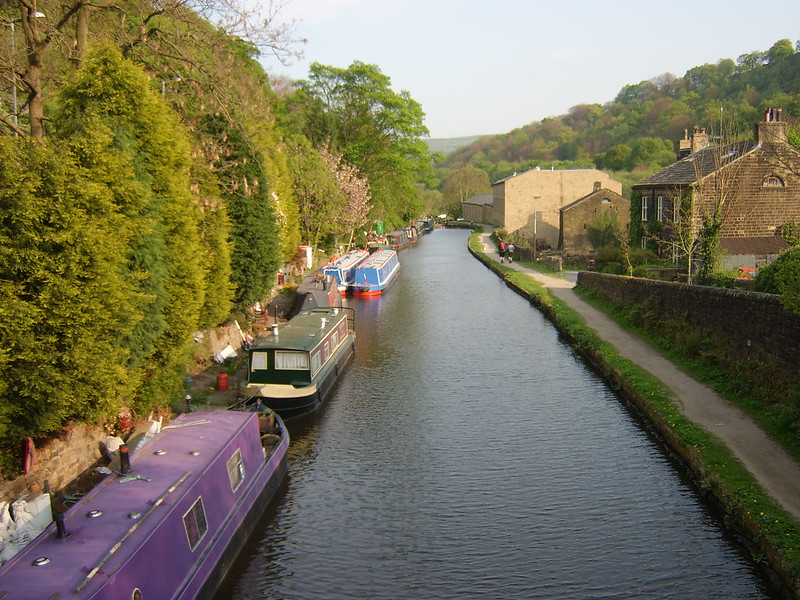
We moved to a flat in Sowerby Bridge in November. Although we haven’t unpacked everything yet, we’re probably about 90% and the remainder is stuff that can remain in storage like ornaments. November saw the second of the year’s weddings, this time in a lovely country house in the Conwy Valley in Wales; and my grandfather reach the grand old age of 90 with the resultant birthday party. For a nonagenarian he’s not doing badly.
December
And finally to this month. We went back to London, for one night only, for a TV recording at BBC Television Centre. The programme wasn’t broadcast; it was a pilot for 10 O’Clock Live which starts in January on Channel 4, but it was a good opportunity to see Jimmy Carr, Charlie Brooker, David Mitchell and Lauren Laverne all in one go, and it was funny to watch. Plus, there aren’t many opportunities in life when you get to be in a TV audience – I’ve only managed it twice. And one of those times was on French TV.
We spent Christmas at my parents. It’s the first time I’ve spent Christmas with a significant other and thankfully it was a good experience.
All in all, 2010 has been a good year. Apart from moving house there hasn’t been any major upheavals like in 2009, and my job situation is much improved which has provided some stability.
So, 2011. Potentially I’ve got another operation coming up, but we’ll see. My first trip to Blackpool since November is coming in early January, to visit some of Christine’s former colleagues. In March, we’re going to see the musical Spamalot in Bradford, and hopefully in the summer we may be able to go on holiday abroad. Hope 2010 has been good for you, and that 2011 is a good year for you too!