So long, Solax local API

A screenshot of the Home Assistant web site showing the information page for the Solax integration.

If you’ve been reading this blog for a while, you’ll know that we have solar panels which are connected to an inverter from the Chinese company Solax. Recently, I asked for the firmware on our inverter to be updated, as part of some testing I’m assisting with for an app. Unfortunately, in doing so, it’s broken the Home Assistant integration.

As per the integration page:

Inverter models with newer firmware (and also those using devices like PocketWifi) no longer expose an API when connected to your wireless network, they do however continue to expose it on their own broadcasted SSID. To use this sensor in this case it is necessary to set up a reverse proxy with something like NGINX and use a Raspberry Pi (or similar) with two network connections (one being Wi-Fi that connects to the inverters SSID).

Home Assistant Solax Power integration
A screenshot of the Wi-Fi network selection screen on iOS 8, showing an unsecured network for the Solax inverter.

Sure enough, a scan of available Wi-fi networks showed a new unsecured SSID with my inverter’s serial number. Now I’m not beyond setting up a reverse proxy (I have Nginx Proxy Manager running) but this would require purchasing an additional Raspberry Pi, potentially with an additional USB Wi-fi adaptor or HomePlug adaptor.

Annoyingly, the inverter does still connect to my home Wi-fi network, and it’s possible to access a web-based portal by popping the inverter’s IP address into a web browser. But it no longer offers a local, real-time API over REST.

All aboard the Modbus

That’s the bad news. The good news is that it’s still possible to connect to the inverter using the Modbus protocol. Now, Modbus is old. Like, really old. Like, older than me old. Like, old enough to be a grandfather old. Like… well, you get the picture – it was originally developed in 1979 for use over serial connections. Thankfully Modbus can also work over TCP/IP on port 502, so I don’t need to run a very long serial cable and dig out my old USB to RS232 adaptor. Yes, I still have a USB to RS232 adaptor somewhere. I’m only a few years younger than Modbus.

Also, Modbus sounds like a bus full of really cool people wearing 1960s fashion and listening to The Who, although arguably they should be on Lambretta scooters. This is where I would ask Microsoft Copilot to create an image of this, but I’ll probably end up using the equivalent electricity to power a provincial English town trying to get it to generate what I’ve pictured in my mind.

Home Assistant natively supports Modbus, and if you have a spare half hour you can read everything on that page. Suffice to say, you have to set it up using YAML and know the Modbus specification of the device you’re communicating with. You probably don’t want to do this.

HACS to the rescue

The good news is that there’s a HACS integration for Solax Modbus. Once you have HACS installed, search for Solax and it’s (currently) the only one that comes up. Install it, restart Home Assistant, and then add the integration. There will be lots of input boxes pre-filled with default values – leave these be. The only thing you need to enter is the IP address for your inverter.

Once set up, the integration added loads of new entities for my inverter to Home Assistant. In fact, it seems like there were far more than before. The data isn’t strictly speaking ‘real-time’, but it polls every 15 seconds and so might as well be.

So that’s the good news. You can have the latest firmware on your inverter, and have it work locally with Home Assistant, without having to purchase another device to act as a reverse proxy. The bad news is that you’ll need to update any dashboards that you have set up to point to the new entities.

Looking to the cloud

The official way of accessing your inverter’s data and status is using the Solax Cloud, either online or through the official app. From there, there is an official API for interacting with this data. But it’s not real-time – updates happen every five minutes. And I can see why some people won’t want their data uploading to the cloud.

There isn’t a Home Assistant integration for Solax Cloud, either in the core product or through HACS. But someone has written their own YAML code to communicate with the Cloud API, should you wish to use this, although it also relies on the REST API which seems to have been deprecated from newer firmware versions.

Getting the latest Solax firmware

If you do want to update the firmware on your Solax inverter, there’s a handy guide here. The easiest and safest way is to contact Solax support and ask them to do it for you; they can log into your inverter remotely and run the upgrade. I hadn’t realised this until Home Assistant suddenly stopped being able to communicate with the REST API on my inverter. There are other ways of obtaining the firmware, and you can upload it yourself to your inverter’s local web portal, but it’s probably best for Solax to do this for you. Considering our solar panels, battery and inverter cost a five figure sum to install, it’s not something that I want to accidentally brick.

As for the app I mentioned in the first paragraph? I’ll talk about it once it’s released.

The Mersey Tunnels

The George's Dock building which houses the ventilation shaft for the Queensway Tunnel, one of the two Mersey road tunnels

Why yes, I am stretching out a single day trip to Liverpool and Wirral into four blog posts. The first was our trip to Eureka Science + Discovery in Wirral, the second about the Mersey ferries, the third about the Museum of Liverpool, and now this, about the tunnels that run under the River Mersey between Liverpool and Wirral.

There are three tunnels under the River Mersey; the oldest is the railway tunnel, which is now part of the Wirral Line of Merseyrail. The Queensway Tunnel opened in the 1930s, and is the oldest road tunnel, with the Kingsway Tunnel opening in the 1970s to relieve congestion. As it happened, Google Maps directed me through the Queensway Tunnel on the way there, and Kingsway Tunnel on the way back. And I got to experience the Mersey Railway tunnel back in 2010, so I’ve now been through all three.

Both road tunnels charge a toll – it’s about £2 for cars, but check the Mersey Tunnels web site for current prices. The toll plazas are on the Wirral side; unlike the newer Mersey Gateway Crossing further upstream, you have to pay to enter or leave the tunnels and can’t pay later online. Thankfully, card payments are accepted as well as cash.

The two tunnels differ in design. Both have two lanes of traffic easy way, but the newer Kingsway Tunnel has two separate bores rather than one single wide bore. The Kingsway Tunnel is also the only one open to heavy goods vehicles; the Queensway Tunnel has a 3.5 tonne weight limit, and buses must use the offside lane due to the lower ceiling. They’re also different lengths; the Queensway Tunnel is about 1 km longer than the Kingsway Tunnel, even though the Kingsway Tunnel is further downstream.

Another interesting fact is that the tunnels have their own police force; indeed, there are four police forces active in Liverpool. As well as the Mersey Tunnels Police and Merseyside Police, Liverpool Cathedral and the Port of Liverpool also have their own police forces. That’ll make a good pub quiz question.

The tunnels need ventilation shafts, and many of these are now landmarks alongside the River Mersey; indeed, the Georges Dock shaft in Liverpool is now grade II listed.

If you don’t want to pay the tolls, then expect to make a much longer journey. The next two crossings upstream, the Silver Jubilee Bridge and Mersey Gateway Crossing, also charge tolls (and the prices are similar), so the first ‘free’ bridge over the River Mersey that you can drive across is in Warrington. When I was planning my journey, a route avoiding the tolls took me down the M6, across on the M56 and up into Wirral on the M53, adding around 7 minutes and 32 km (20 miles) onto my journey. The extra fuel burnt would probably have equated to the toll.

The Museum of Liverpool

A photo of the outside of the Museum of Liverpool

So, after we caught the Ferry across the Mersey, we had a couple of hours in Liverpool before we needed to head back. And seeing as the Museum of Liverpool is right by the Gerry Marsden Ferry Terminal, we decided to pop in.

All three of us have been before, back in Summer 2016, and if you’re good at maths then you’ll be able to work out how old our eight-year-old was then. So whilst it wasn’t technically their first visit, it might as well have been.

Like the name of the museum suggests, it tells the history of Liverpool, starting at pre-historic times and up to the present day. Some of the exhibits may only be of interest to locals, where these focus on specific areas of Liverpool, but for the most part there’s something for those who only know Liverpool for The Beatles and football.

Railways

Of particular interest to me is the story of the Liverpool Overhead Railway, which used to snake its way past Liverpool’s dockyards along the waterfront. Built in 1893, it suffered extensive damage during the second world war and was demolished in the 1950s. But it was the world’s first elevated railway, one of the first electric railways at a time when steam engines ruled, and one of the first to use modern colour-light railway signalling. In the museum, the one surviving wooden railway carriage is available to look at, on a recreation of the metal structure that carried the railway.

A photo of the steam engine Lion inside the Museum of Liverpool

This carriage isn’t the only rail vehicle inside the museum, and a large part of the ground floor is home to the steam engine Lion. It was built in 1838 for the then relatively new Liverpool and Manchester Railway, which was the world’s first intercity railway, to haul freight.

Whilst entry to the museum is free, some special exhibitions charge. The current exhibition is the Holly Johnson story – Holly Johnson probably being best known as the lead singer of Frankie Goes To Hollywood. Which would have interested me but probably not our eight-year-old.

Accessibility

As mentioned, entry is free apart from some exhibitions. It’s closed on Mondays, unless it’s school holidays, but open every other day of the week.

Being a new-ish museum, Changing Places and gender-neutral toilets are available, and there are lifts to all floors. Sunday mornings are dedicated quiet times in the museum.

James Street station on Merseyrail is the closest and is around a 5 minute walk away; the main Liverpool Lime Street station is about 20 minutes walk. It’s also close to the ferry terminal, so if you’re driving, you could do what we do and park there, and then catch the ferry.

Wi-fi version numbers

The Wi-fi 7 logo

In recent years, it seems like the IT industry has changed how it names the various Wi-fi standards, with a move away from their IEEE names to a simplified version numbering system. This blog post is mostly me trying to get my head around what the old and new version numbers are, and the fact that Wi-fi 7 devices are starting to come onto the market.

Wi-fi version 1 (802.11b)

The first time I used Wi-fi would have been around 2003/4, and it was with a PCMCIA card that I slotted into my Toshiba laptop. 802.11b was the first version to launch in Europe, and offered speeds of up to 11 Mbps. By current standards, that’s really slow, but I was still using 56k dial-up in my university accommodation and my parents’ ‘broadband’ internet was only 512Kbps. A wireless, multi-megabit per second connection was pretty awesome.

Wi-fi version 2 (802.11a)

This would be a good time to note that versions 1, 2 and 3 of Wi-fi have never officially carried this designation, and would explain why standard A comes after standard B. IEEE 802.11a offered faster speeds – 45Mbps – but on the 5Ghz frequency band which wasn’t yet approved for Europe. Consequently, I never knowingly used any Wi-fi devices that used the 802.11a standard.

Wi-fi version 3 (802.11g)

The IEEE numbering jumped from B to G (standards C, D, E and F exist but aren’t relevant here) and this brought the 45 Mbps speeds of version 2 on the 2.4Ghz frequency band of version 1. This also saw me buy a new PCMCIA card for the same laptop, to be able to access the faster speeds, and use WPA encrypted networks rather than the weaker WEP security standard.

Some ‘Wireless-G’ routers offered ‘MIMO’ – multiple input and multiple output – which meant multiple antennae, and faster speeds, with up to 300 Mbps claimed. However, this usually required owning both a router and a Wi-Fi dongle by the same manufacturer and so wasn’t universal.

Wi-fi version 4 (802.11n)

With approval of the 5Ghz frequency band in Europe, 802.11n devices, first launched in 2009, could use both. The higher frequency band offers more bandwidth, but at the cost of shorter range and lower compatibility, hence the need to offer both 2.4Ghz and 5Ghz. The other big improvement came with mandating MIMO for all Wi-Fi 4 certified devices. Top speeds also jumped up as high as 600Mbps. This is the first standard to officially have a version number allocated by the Wi-Fi Alliance.

Wi-fi version 5 (802.11ac)

The IEEE numbering rolled over, and started back at A again with a second letter in 2013. I guess this may have been what prompted the Wi-Fi Alliance to start using its own numbering system, although it and Wi-Fi 4 were both named retrospectively. Interesting Wi-Fi 5 only works on the 5Ghz band (like Wi-Fi 2), and devices needing the 2.4Ghz band fall back to Wi-Fi 4. Again, there’s a boost in speeds, up to almost 7Gbps.

Both my Vodafone router and Google Wi-Fi system support up to Wi-Fi 5.

Wi-Fi version 6 (802.11ax)

This was the first version to launch with its version number from the Wi-Fi Alliance. It’s a much newer standard, from as recently as 2021, and boosts speeds up to almost 10Gbps. As with Wi-Fi 4, it operates on both the 2.4Ghz and 5Ghz bands, but there’s a sub-version called Wi-Fi 6E that introduces the 6Ghz band for the first time. The only device I have that supports this is my iPhone 13 Mini.

Wi-Fi version 7 (802.11be)

The 802.11be standard hasn’t been fully ratified by the IEEE but products supporting Wi-Fi 7 are already on sale, at the time of writing (October 2024). Therefore, if you’re willing to pay a premium to get a Wi-Fi 7 certified device now, make sure it’s from a well-known manufacturer, and that you update its firmware once the standard is fully ratified. Top speeds are now up to a theoretical 23Gbps which is just mind-blowing.

Wi-Fi version 8 (802.11bn)

In 2028, the next Wi-Fi version is expected to be ratified by the IEEE. We can potentially expect speeds as high as 100Gbps, and as with Wi-Fi 6E and 7, it’ll use the 2.4, 5 and 6Ghz bands.

Hopefully if you’re an old school techie like me, this will help you work out how the branded Wi-Fi Alliance numbers correlate with the IEEE standards.

Taking a ferry across the Mersey

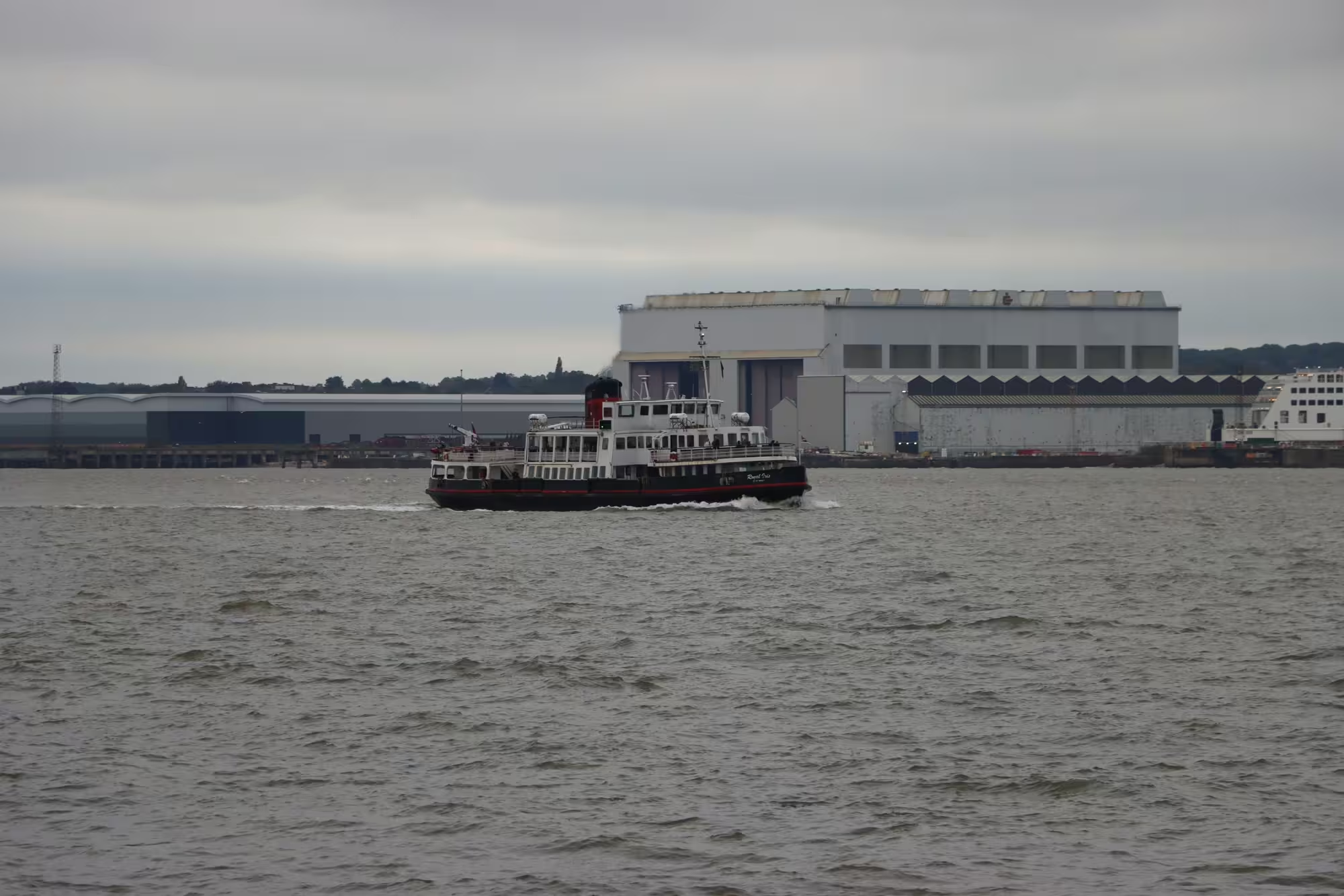
A photo of the Royal Iris ferry on the River Mersey in Liverpool

So, I mentioned in our visit to Eureka Science + Discovery that it’s located in the Seacombe Ferry Terminal in the Wirral, and that a typical visit lasts 2-3 hours. Therefore, that gave us a spare afternoon, and our eight-year-old decided that a ferry journey was in order.

The Mersey Ferries fill a double role. At peak times on weekdays, they offer a fast 10 minute crossing every 20 minutes for commuters. But at weekends and weekday daytimes, they take a less direct route and offer a 50 minute River Explorer Cruise with a commentary pointing out major riverside landmarks. And yes, you’ll get to hear that Gerry and the Pacemakers song too.

Boarding in Wirral, the first part of the journey took around half an hour. You pass the other ferry terminal in Wirral at Woodside, adjacent to the U-Boat Story museum – both are currently closed for renovations, but Christine and I visited in 2010. You then pass where the (much larger) ferries to Ireland depart, before the boat performs a u-turn and passes Liverpool Arena and the Albert Dock. You then arrive at the Gerry Marsden Ferry Terminal (yup) in Liverpool.

The return journey to Wirral heads down the Mersey as far as the under-construction Everton Stadium, before again turning and passing Wallasey and onwards back to the Seacombe terminal.

The ferry we travelled on was the Royal Iris of the Mersey. Built in 1959, it’s seen a lot and various bands and artists have performed on it over the years – Elvis Costello, The Searchers, the aforementioned Gerry and the Pacemakers, and, yes, The Beatles. The on-board interior is rather sparse, but there’s a café which, thanks to a loophole (see this Tom Scott video), can sell alcohol without a license.

Currently the Royal Iris is the only ferry in use, but a new one is being built, to launch in 2026 – and it’s being built locally in Birkenhead.

Our eight-year-old really enjoyed the return trip. It’s not cheap – around £13 for adults and £8 for children. The ferries are accessible though as you can board and alight using ramps, and there accessible toilets on board.

Visiting the ‘other’ Eureka in Wirral

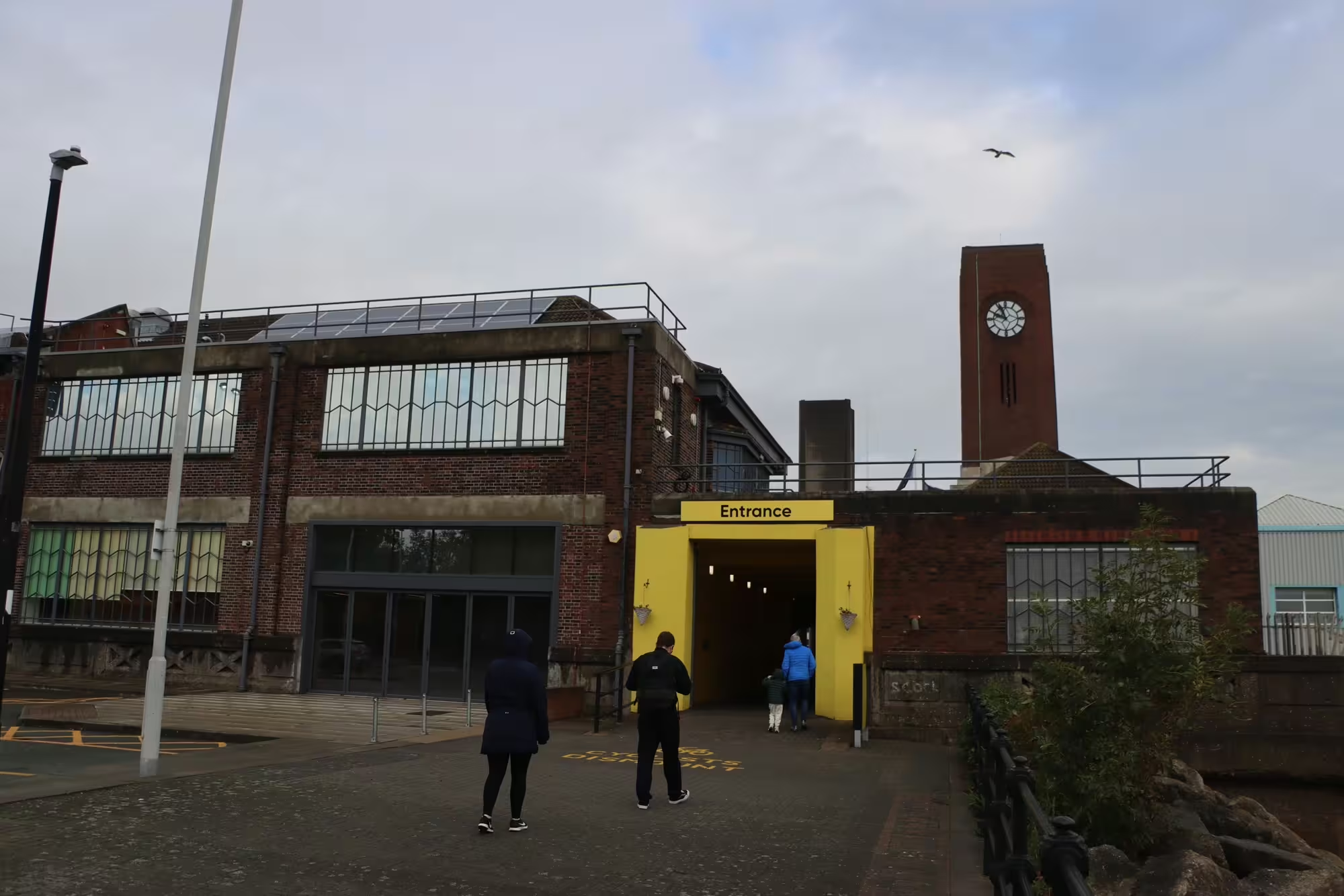
A photo of the entrance to Eureka Science + Discovery in Wirral

Since 1992, Halifax has been home to Eureka, the National Children’s Museum. But in 2022, a ‘new’ Eureka opened in Wirral, just across the River Mersey from Liverpool, and I took our eight-year-old to visit a couple of weeks ago.

As we live near Halifax, we’ve taken our eight-year-old to Eureka a few times over the years, so we wanted to see what the new museum was like.

Eureka Science + Discovery

The ‘new’ Eureka is branded ‘Eureka Science + Discovery’, and is aimed at slightly older children. The original Eureka was groundbreaking at the time of its opening by being very hands on, when most other contemporary museums locked their exhibits away inside glass cabinets with ‘do not touch’ signs everywhere. Eureka Science + Discovery carries on with the same ethos, and there’s lots of things to touch and interact with. But there’s also more to read, in line with its older target age group of 7-14 year-olds.

Downstairs, you can learn about the body, and there’s an auditorium at the back. Upstairs there are two zones – one focussing on nature, and the other about science, especially in the home. Through a separate entrance is The Burrow, which is a play area for the under-7s and is included in the ticket, and of course there’s a shop and a café – again the café has a separate entrance and is open to the public.

We spent a full morning at the museum. Older kids may get more out of it, if they take the time to read the displays, but allow 2-3 hours for a visit.

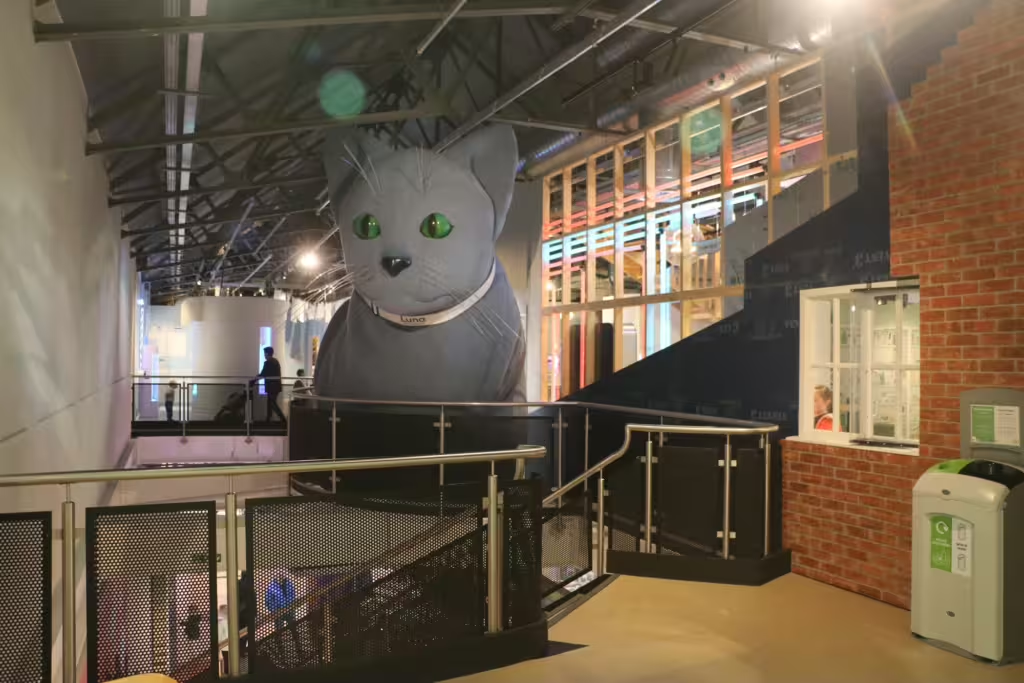
A photo of the inside of Eureka Science + Discovery. There is a very large blue cat.

Accessibility

Eureka Science + Discovery is based in the Seacombe ferry terminal in Wirral, and so you can catch a ferry across the Mersey to Liverpool and back. It’s a bit of a walk from the nearest Merseyrail station at Hamilton Square, but there are buses. There’s also a pay-and-display car park, although if you are driving and aren’t using Google Maps or the like, make sure you follow signs for the Seacombe ferry terminal. Although Eureka has been open a little while now, there aren’t any ‘brown signs’ yet for directions.

Being a brand new museum, accessibility is top-notch, with lifts and a changing places toilet. Extra support is also available for those with sensory issues.

Pre-booking of tickets is required, but then they’re valid as an annual pass. Whilst it’s not yet listed on the Max Card web site, if you have a Max Card, then one adult and one child get in absolutely free at present. Tesco Clubcard vouchers are also accepted but can’t be redeemed for an annual pass.

Fully-vaccinated and ready for winter

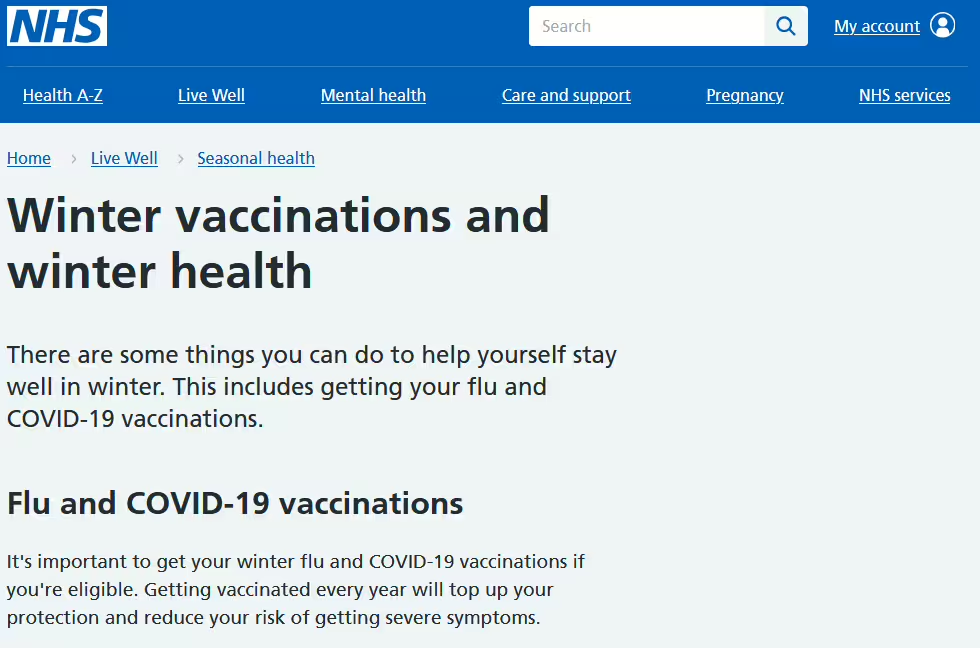
A screenshot of the NHS winter vaccinations page

We’re halfway through October, the weather is getting colder and the nights are getting longer. So, it’s also time to get your winter vaccinations.

I’m asthmatic, and so I qualify for a free flu vaccine each year. I’m also eligible for a free Covid-19 booster; my last one was two years ago, but it looks like the eligibility rules have changed in my favour.

I had both vaccines last week. Apart from some tenderness in my arms where I had the vaccines injected, no side effects for me thankfully. Back in 2021, my first dose of the Covid-19 vaccine (AstraZeneca) gave me a fever for a few days, but subsequent vaccinations (Pfizer and Moderna) have been much milder.

You’ll probably find that, if you’re eligible for a free flu vaccine on the NHS, your GP surgery will contact you to ask you to make an appointment. For the Covid-19 vaccine, I was able to book this myself on the NHS app.

Getting vaccinated privately

If you don’t qualify for a free vaccine, but still want to get protected, you can pay for one privately. Boots will charge you £22, and Superdrug £20 (or £10 if you have their loyalty card). Alternatively, check with your workplace; my employer offers vouchers for a free flu vaccination with Boots to all employees who aren’t otherwise eligible for one on the NHS.

The Covid-19 vaccines are rather more expensive – about £100 at Boots, although some may sell them for less, with the cheapest Novavax vaccine costing £45.

If I didn’t get them for free on the NHS then I would probably pay for the flu vaccine. The last time I had flu was in October 2003. The fact that I can remember the rough date 21 years later shows how much I’m happy to have the vaccine to avoid going that again. I was eligible for a flu vaccine back then too, but managed to get flu before I could get vaccinated.

As for Covid-19 – I’ve definitely had it at least once since March 2020, an almost certainly twice. In both cases, it was just like a bad cold (but over more quickly). But I also lost two friends to that virus in 2020, and so I know how serious it could be.

RSV and pneumococcal vaccines

If you’re 65+ or pregnant, then you may also be eligible for one or two other winter vaccines: RSV, against the respiratory syncytial virus, and pneumococcal, against some forms of pneumonia and meningitis. If your GP surgery hasn’t already been in touch, have a chat with them if you meet the eligible criteria.

And remember, vaccination isn’t just about protecting yourself. Not everyone can have vaccines, but if you’re vaccinated, you’ll help to prevent the spread of diseases which continue to kill thousands of people in the UK each year.

Beetlejuice 1 and 2

The two posters for each of the Beetlejuice films.

Yesterday, Christine and I watched both Beetlejuice films – the 1988 original, and the 2024 sequel. The 1988 film is available on Netflix at present, and we watched the sequel at our local cinema.

Christine had seen the first Beetlejuice film before, but I hadn’t. It’s been one of those things where Christine has been trying to get me to watch it, but we’ve never found the time. Indeed, I had purchased a download of it to watch on a long train journey back in 2021, and I think it’s still downloaded to my iPad, but it remained unwatched.

In fact, my main memories are of the animated TV series; the late 1980s and early 1990s saw many blockbuster films (Ghostbusters, The Mask, Teenage Mutant Ninja Turtles) getting tie-in animated shows for younger viewers. But, like I said, I hadn’t seen the film until yesterday.

Beetlejuice (1988)

The film is very much of its time, and you can tell it was made on a smaller budget – around $15million, which would be in the ballpark of $40million today. The special effects are mostly done the old-fashioned way, with models and animatronics. I also thought it ended quite abruptly – without wanting to give away spoilers, I was expecting at least a couple more scenes. Also, the pacing is slower, but that’s probably true of most older films.

Overall, not bad – I would probably rate it three out of five.

Beetlejuice Beetlejuice (2024)

So, the sequel. It’s set quite a way in the future, but Michael Keaton, Winona Ryder and Catherine O’Hara reprise their roles from the first film. Absent is Jeffrey Jones; his character features in the film, but the actor doesn’t – he’s still alive but, well, you can look up what he did and why he’s not getting any more acting work. Jenna Ortega joins the cast in a new role for this film – you may recognise her from playing Wednesday Addams in the recent Netflix series.

This second film is a bigger budget affair – around $100million, which it’s already gained back and then some since its release last month. Whilst there’s still some animatronics, the bigger budget means better special effects. There’s a lot more going on, with several sub-plots coalescing at the end. Watch out for cameos by Danny DeVito and Burn Gorman (aka Owen from the first two series of Torchwood).

I much preferred the second film. Both are weird, but I found the second film more funny-weird rather than simply weird.

You can watch the second film on its own, without having seen the first one – a friend did this and enjoyed it. But there’s lots of subtle references in the second film that’ll make more sense if you’ve seen the first one.

A third film?

There were 36 years between the original Beetlejuice film and the sequel. If it takes another 36 years to release a third film, then Tim Burton and Catherine O’Hara will both be over 100 if they’re still alive. Still, you have to say Beetlejuice’s name three times to summon him, so making it a trilogy would make sense. Seeing as how the second film has done so well at the box office, I’m sure plans for a third film are being drawn up.

My life in railcards

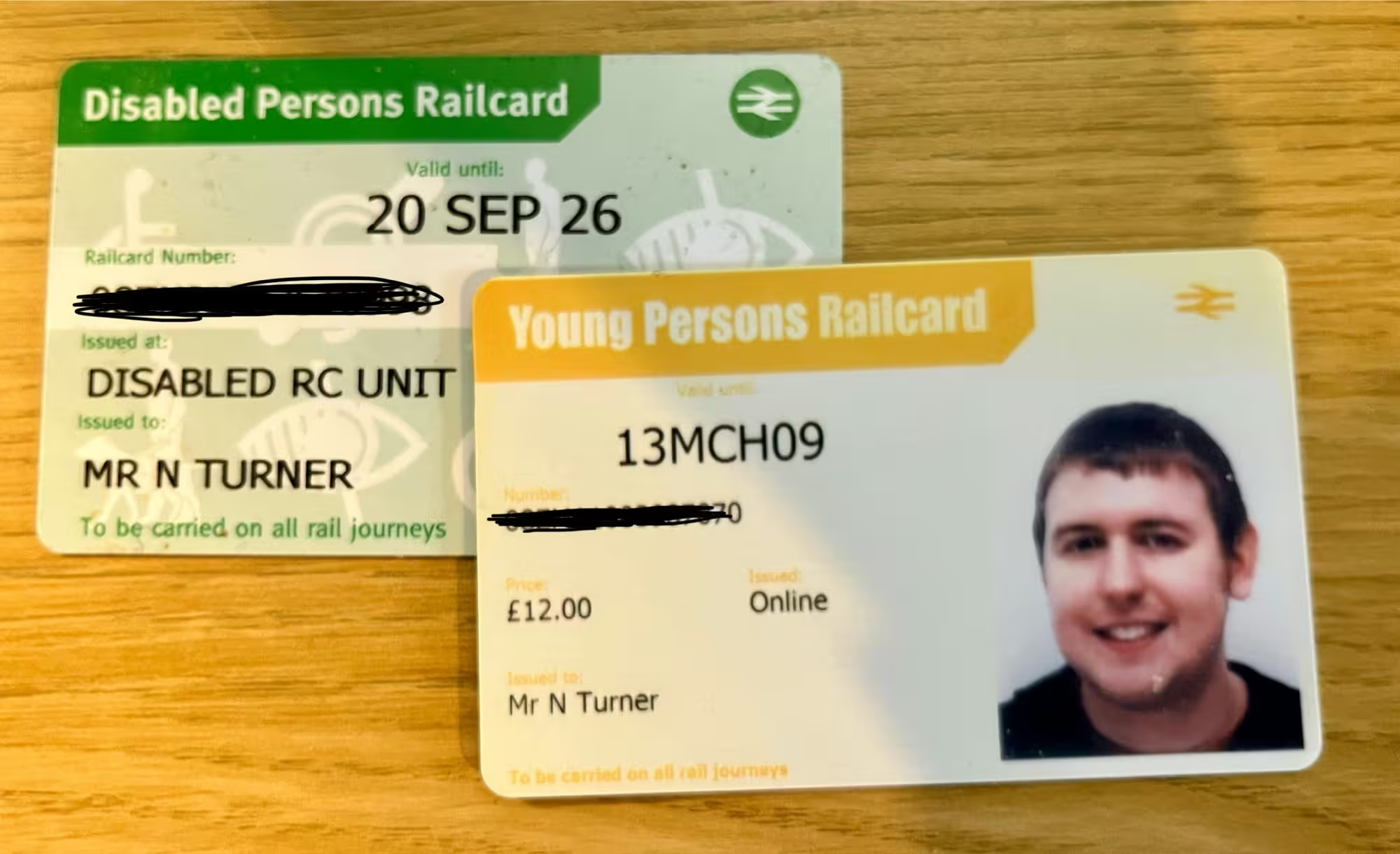
A photo of my current Disabled Persons Railcard, and an older Young Persons Railcard

Over the years, I’ve had five different types of railcard, to get discounted travel on Britain’s railways. I guess it’s one way of showing how my life has changed over the years.

Staff privileged travel card

Before he retired, my dad used to work for the railways, and this meant that he got free and discounted rail travel for himself and his dependents – i.e. myself and my mum. It was a pretty good deal: 20 days of free travel per year. Except each ‘day’ was actually 48 hours, so (for example) an outbound trip on a Saturday with a return on Sunday would only use one ‘slot’. These were recorded by writing the day on a credit-card sized piece of card, which was paired with another piece of card with my passport photo on.

Once the 20 free days were used up, or if I was saving them, I could get 2/3rd discount on any other tickets.

I was able to hold onto the card until my early 20s – basically, the point at which I was no longer a dependent of my parents and earning my own wage. I miss the days of being able to simply jump on a train to London from Bradford, to attend something like Open Tech, without having to pre-book tickets or worry about the cost. Oh, and did I mention that I was able to travel in first class too?

There were limitations. First class travel was for off-peak only, and there were no seat reservations. Indeed, I would have to give up my seat to a paying passenger if required. But considering how much long distance train fares cost even then, it gave me a lot of freedom in my early adult life. I have travelled first class since then – our return trip from St Andrews, and some London trips where we won upgrades using Seatfrog – but it’s not a frequent occurrence.

If you’ve read this and thought about a career in the railway industry, just be aware that staff travel privileges have almost certainly changed and may be nowhere near as generous as this nowadays.

Young Persons Railcard

Once I was self-sufficient – or at least, earning my own money through work – I had to get my own railcard. At the time, this was the ‘Young Persons Railcard’ but it’s now known as the 16-25 Railcard, which are the age ranges it’s open to. Like most railcards, it costs £30 per year, and gets you a 1/3rd off any train fares, with some exceptions. It does work at peak times, as long as the discounted ticket would cost £12 or more.

Despite the name, you can buy a 16-25 Railcard if you’re 26 or over, as long as you’re in full-time education. And, it doesn’t expire on your 26th birthday – indeed, you can buy one the day before your 26th birthday and it’ll still be valid for a year.

26-30 year-olds can now buy the 26-30 Railcard, but this wasn’t available when I was in that age range. It offers the same discount as the 16-25 Railcard, but it’s digital-only and not available as a physical card.

Two Together Railcard

I wrote about this one in 2014, when it was still a trial in the West Midlands. Thankfully, the Two Together Railcard trial was deemed enough of a success for it to be rolled out nationally, and so Christine and I have had a few of these. As the name suggests, it allows two named people travelling together to get a 1/3rd off rail fares, but can only be used off-peak.

As it’s £30 to buy the card, I remember someone (probably Martin Lewis) doing a stunt at Euston station one day, finding two random people travelling to the same destination, and have them purchase a Two Together Railcard. Even though they were complete strangers, the £30 cost was less than the 1/3rd saving on the two tickets.

Friends and Family Railcard

Children under 5 travel free on the railways, but they need their own ticket from age five onwards. So, the next railcard we had was a Friends and Family Railcard. With this, you save 1/3rd on adult fares and 60% on child fares, and it’s valid for 1-4 adults and 1-4 children travelling together. Ours is a digital railcard and so it lives in the Trainline app, and can be used by myself and/or Christine when we’re travelling with our eight-year-old (and potentially up to three of their friends). For most of the UK, it can be used at any time, but it’s not valid for journeys within London and the South East during peak times.

Disabled Persons Railcard

I fully expected to carry on using a Friends and Family Railcard until our eight-year-old turned 16 and would need their own railcard (see above), but then I found out I was deaf. The definition of ‘disabled’ is quite broad for the Disabled Persons Railcard, and includes anyone who uses a hearing aid – even if your hearing loss isn’t severe or profound. I suppose this is because Railcards are a commercial paid-for product offered by the rail industry; I’m not (yet) eligible for a free bus pass, for example, which would be paid for by my local authority.

As with other railcards, you get a 1/3rd discount, but with no time restrictions. As such, I can use it on my commute to work, and in the year that I’ve had it, it has paid for itself several times over. You can’t (yet) use it to buy season tickets, so I have to purchase a return fare every day that I’m in the office. If another adult is travelling with you, they also get a 1/3rd discount too – they can be a friend, family member, carer, or anyone else really.

You do need to demonstrate that you’re eligible for the card; in my case, I had to email a PDF form to my local authority who stamped and returned it for me, to vouch for my deafness.

We’ll still keep our Friends and Family Railcard, as this ensures discounts for our eight-year-old too, but we’ve no longer any need for a Two Together Railcard. And, unless there’s some way that my hearing can be restored in future, I probably won’t need a Senior Railcard when I reach 60 either. Assuming that railcards are still around in 20 years time.

Sowerby Bridge blog posts

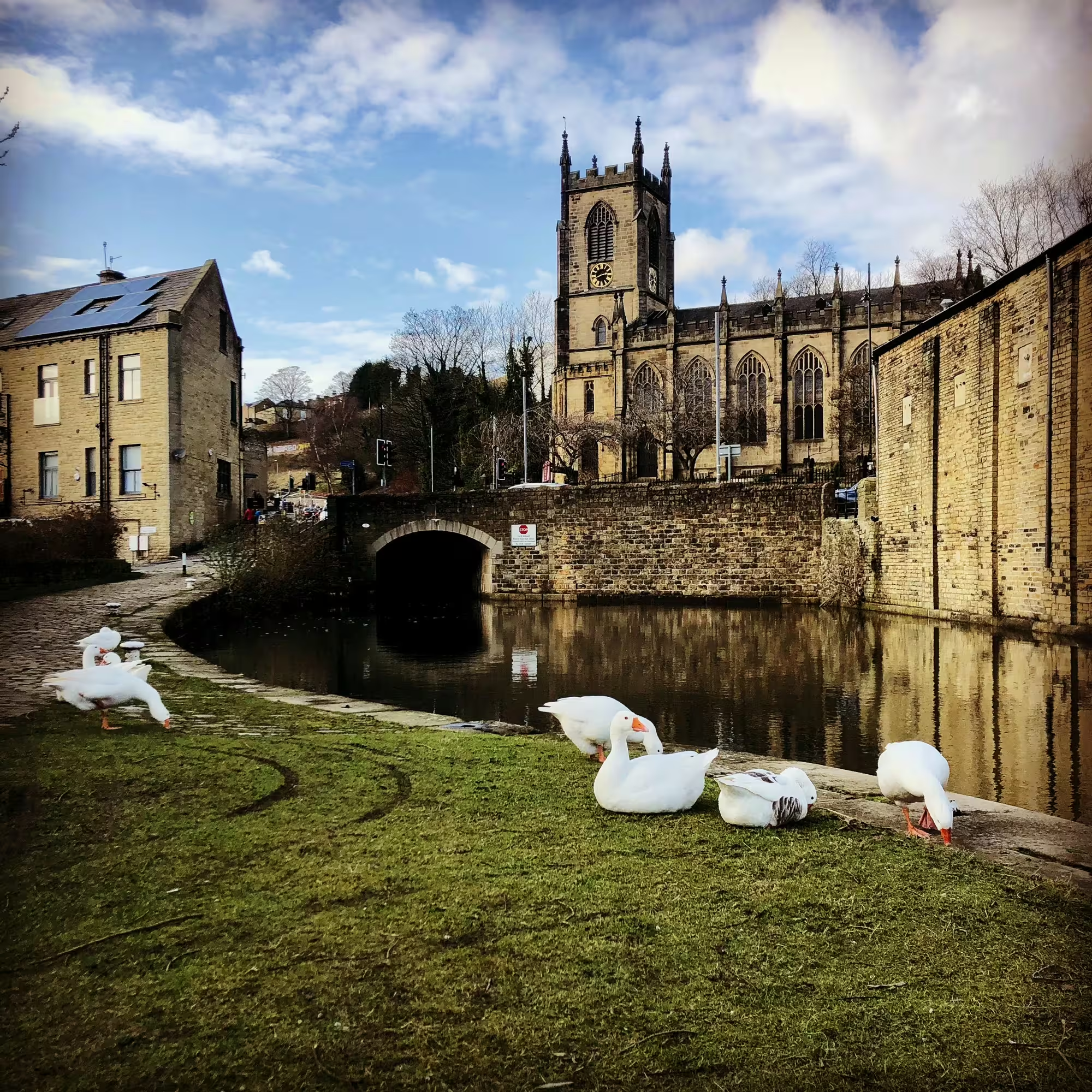
A photo the Rochdale Canal at Sowerby Bridge, with some geese in the foreground and a church in the background.

It’s been a while since I last did a summary of old blog posts that I’ve made live again – January, to be precise. This doesn’t mean that I haven’t re-imported any old blog posts since then – I’ve probably brought back 20 or so in the past few months. They’ve tended to refer to events that I’ve wanted to refer back to in new blog posts, such as previous visits to places. Overall, I’ve re-instated over 100 old blog posts so far, so about 3% of the total.

The latest batch that I’ve brought back are about Sowerby Bridge, the town where we live. I’ve chosen these partly to document us moving here 14 years ago, but also because it’s niche content that’s probably not available elsewhere. Here’s an index:

  • Moving out of the City (October 2010). When I first announced that we were looking to move to Sowerby Bridge, as it was convenient for both my current job, and Christine’s (then) new job. Neither of us could drive back then.
  • A year out of the city (November 2011). A retrospective of our first year of living in Sowerby Bridge. The first flat that we rented didn’t work out, but we ended up in another flat in April 2011, that we stayed in until October 2015 when we moved into our current house.
  • Cinemas and Sowerby Bridge (May 2012). A little bit of local history research. Sowerby Bridge once had two cinemas – whilst both buildings are still standing, one is now a pub/venue and the other mostly vacant, having most recently been a shop.
  • Rushbearing in Sowerby Bridge (September 2012). Sowerby Bridge’s most well-known annual festival, which takes place over the first weekend in September. Imagine a cart, filled with rushes, being trailed by morris dancers and calling at every church and pub in the town. It’s still going strong, although we had other commitments this year.
  • Britain’s best high streets (November 2012). Sowerby Bridge was included in a list of Britain’s best high streets, and I suppose the main street is still pretty good. However, we’ve since lost the two banks mentioned in the article.
  • The Sowerby Bridge Geese (September 2013). For years, there was a large gaggle of geese in Sowerby Bridge, that would happily stop traffic to cross the road, or sit in parking spaces. Unfortunately they haven’t had any goslings for a few years now, and I think there’s only three of them left now.
  • My first BuzzFeed Listicle (April 2014). Oh wow, remember BuzzFeed? It still seems to be going, but my first listicle, 9 Surprising Facts About Sowerby Bridge, also turned out to be my last one.
  • Happy Valley (June 2014). The BBC’s gritty award-winning drama was partly set in Sowerby Bridge, and saw two further series.
  • The Brontë Garden at Sowerby Bridge station (September 2014). This is the small garden at the railway station, maintained by volunteers and still looking nice ten years on.

Since starting blogging again in 2022, my only new post of note about Sowerby Bridge was a brief one about ghost signs.

Creative Commons License
Except where otherwise noted, the content on this site is licensed under a Creative Commons Attribution-ShareAlike 4.0 International License.