This is a guide that I’ve put together based on around nine months’ experience with having solar panels on our roof, and some wise guidance from third parties. It’s going to be very UK-centric, because that’s where I live, but hopefully some of the advice will apply even if you live elsewhere.
If you don’t have solar panels, then some of this advice may still be useful – quite a lot of it is general energy saving advice, and will apply even if you don’t have the means to generate your own electricity. And some if it is worth following if you’re considering solar panels in the future, as there are some lifestyle changes that could benefit you more if you have solar panels installed.
Principles
There are some underlying principles to most of the advice on here – so consider this to be a high level summary. Essentially, you want to:
- Maximise your energy use during the daytime, when it’s sunny.
- Use electricity to heat things, rather than mains gas.
- Minimise energy wastage.
Here’s why they’re important:
Maximise daytime energy usage
Simply put: you want to prioritise your energy use when it’s free. That means doing tasks like washing and drying clothes, cooking and charging electric vehicles when it’s light outside and your panels are generating electricity.
Using electricity to heat things
Your solar panels will help you reduce the amount of electricity that you need to use from the electricity grid (and therefore save money) but they won’t help with your gas bills – unless, you switch to using electricity rather than gas to heat things.
Minimise energy wastage
This is all about having efficient electric devices and appliances. Your solar panels will probably be able to generate about 3.5 kW in full, direct sunlight, based on a typical installation. But that’s not going to help much if you regularly use appliances which require more than that; or, for example, if you have lots of old and inefficient light bulbs switched on.
Cooking
When we cook things, we use heat, and in UK homes, that heat normally comes either from burning gas or using electricity. As I mentioned above, having solar panels means that you need to focus on using electricity to heat things to take advantage of them. So, if you have a gas cooker, you’re not going to benefit as much from solar panels as you would do if you have an electric oven and hob – especially an induction hob which is more energy efficient.
Clearly, buying a whole new hob and oven is a big expense, especially if they’re built in to your kitchen. So, if you still have a gas hob, consider alternatives:
- Ikea sell free-standing electric induction hobs that can be plugged into a standard wall socket – a two zone hob costs about £90 and has the benefit of being portable.
- Could you use a microwave instead of an oven? Even if you have an electric oven, microwaves use significantly less energy – a typical microwave needs 800–900 watts, as opposed to an oven which can require 2000 watts. Plus, they will typically cook your food more quickly, and don’t need to be pre-heated, thus using even less energy.
- An air fryer is worth considering as well, for the same reason as a microwave – you can get crispy food faster and using less energy than you would in an oven. I know Jay Rayner isn’t a fan but lots of people swear by them, although we haven’t yet bought one ourselves.
- Consider using a slow cooker. Whilst they’re not suited for all meals, you can start them during the day when it’s daylight. This means that you do most of the cooking whilst your solar panels are generating energy, and so you’ll minimise the amount of grid energy that you’ll need. This is especially useful in winter, when it’s often dark when people finish work. And overall, they can use less energy than quicker cooking methods. We’ve cooked several great slow cooker recipes from the Bored of Lunch cookbook (affiliate link) and it’s great coming home from work knowing that your dinner is already just about ready to serve.
- You could also consider using a pressure cooker, such as an Instant Pot – again, the pressure means that you can reduce the cooking time and use less energy. Most models also have a ‘keep warm’ function so you could cook your food mid-afternoon during daylight, and then have it still warm a couple of hours later for dinner. All Instant Pot models can double as a slow cooker, and the newer models incorporate an air fryer too.
- If you bake your own bread, then an automatic bread maker may also save money compared with baking in a standard oven, due to the smaller space needed to be heated. And you can use a time delay function on some modes, so that you’re using at a time when the panels are generating the most energy.
Washing up
When it comes to washing up pots and pans, consider boiling an electric kettle and mixing this with cold water, rather than using the hot tap, if you have gas for central heating and hot water.
If you have a dishwasher, consult the manual to see if it has a time delay function. That way, you can load it in the morning, and then have it come on later in the day when there’s more daylight. We have a ‘smart’ dishwasher from Bosch, which comes with an app that allows you to tell it to start at a specific time using your phone. Also, make use of any ‘eco’ settings that it has – it’ll take longer, but use less energy overall.
Clothes washing
Some washing machines have both cold and hot water inlets, so, if you can, have a look at how it’s been plumbed in. If both are plumbed in, and you use gas to heat your hot water, find out if you can disable it, or have it isolated, so your machine only uses cold water that it heats itself using electricity.
Where possible, wash clothes at a lower temperature. Most laundry detergents work fine at 30ºC, although you may find that your washing cycles take longer. Some clothes may even wash well at 20ºC. You should, however, use your machine at 60ºC every couple of months or so, as lower temperature washes don’t kill all germs; prolonged use of cold washes can result in mould growing in your machine.
As with dishwashers, if your washing machine has an ‘eco mode’, use it – again, it may lengthen the washing cycle but should use less energy overall.
Drying clothes
The cheapest way to dry your clothes is arguably outside on a washing line, but this may not be an option that’s open to you – you might not have a suitable outdoor space, or it’s raining.
Tumble dryers have a reputation of being very energy-hungry, and that is true of many older models, but the newest heat pump models are much more efficient. So if you’re in the market for a new tumble dryer, consider a heat pump one – you will pay a higher price upfront, but their energy use is much lower than condenser types, and in a different league to the oldest models. Indeed, they can use less energy than electric heated clothes drying racks, which are often touted as cheaper alternatives.
As it happens, I have both a heat pump dryer and a heated clothes rack, because not all of our clothes can be tumble-dried (always check the label!). However, the heat pump tumble dryer is much quicker, and tends to use less energy overall.
Showers
On the one hand, having an electric shower, rather than one that uses gas-heated hot water, seems like good advice when you can generate your own electricity. However, electric power showers use a lot of energy – pretty much the maximum 7 kW that a single phase electrical supply can provide. The typical maximum output of a solar system is 3.5 kW, so even if it’s a brilliantly sunny afternoon, your panels are only going to be able to provide half the energy required. On weekdays, our household typically has our showers before 7am, so in the winter it’s still dark, ergo no solar energy.
However, in summer, when the water temperature is higher, you can use your shower’s eco mode, if it has one, to lower its energy usage. And having shorter showers will save money too (especially if you have a water meter). You could also consider shifting your showers to a different time of day, although personally I find that having a shower first thing helps me wake up. Some workplaces also offer showers for staff to use, if you’re happy to wait until you get to work to have a shower.
If you have a battery system at home, then this may help reduce how much grid energy your shower uses, if you have showers when it’s typically dark.
Electric cars
One of the biggest selling points of an electric car is that you can charge it at home whilst you’re not using it, rather than having to find a petrol station to refuel. And, having solar panels means that you can use electricity you’ve generated yourself to charge your car, thus saving even more money.
However, as with electric power showers, a standard home charger port will output around 7 kW, and this will probably be more than your panels can output (unless you have a very big roof). If you haven’t already had a charger port installed, consider buying one where you can vary the charging rate, so that you don’t use as much grid energy. This will mean that your car charges more slowly, but it’ll cost less money. It may also be that you can control how fast your car charges using controls inside the car, or on a phone app.
And, as with many other things mentioned in this article, choosing when to charge your car is also important. Having it on charge in the afternoon, when the sunlight is strongest, will mean that you make the most of your solar energy.
Heating
Most British houses use gas for heating. I’m sure in 50 years time, we’ll look back and wonder why on earth we used to pump a massively flammable fossil fuel into peoples’ homes, but for now you’ll probably use gas to power a water boiler which then pumps hot water around your home.
Heat pumps are probably the best replacement for gas boilers – they’re about three times more efficient than boilers and are powered by electricity – which is great if you’re generating your own solar energy. And, provided that you don’t also have a gas stove, then you may be able get your gas supply disconnected – that way, you won’t have to pay the daily standing charge. But heat pumps are expensive – even with government support, you’re looking at several thousand pounds. Our gas boiler was only replaced 7 years ago and has only just come out of warranty, so a heat pump is very much a future ambition for us.
Furthermore, heat pumps won’t be suitable for all properties; you’ll need a separate hot water cylinder (annoying we removed ours when we had our combi boiler fitted) and the heat pump typically sits outside your house like an air conditioning unit does.
So, if a heat pump isn’t an option, then there are other things you could consider:
- MoneySavingExpert has a guide to ‘heat the human, not the home’. Rather than heating your entire home, consider using heating pads or electric blankets to just heat yourself during the daytime. Remember, solar panels can still work really well on cold but sunny days in winter.
- You could also buy small portable electric radiators, and use these during the daytime.
Lifestyle changes
Something that I’ve alluded to above is about timing – running power hungry appliances at the time when you’re generating the most power. This tends to be afternoons, and so it helps if you are at home in the afternoon to be able to switch devices on at the right time. So, if your job is flexible enough to allow it, being able to work from home one or two days a week will help you make the most of the times when your panels are outputting the most electricity. I’m lucky that my job can be done either at home or in an office and so I’m able to work flexibly, and on the days when I’m at home, I use my lunch breaks to put the washing machine on, start the dishwasher, load the dryer, set the slow cooker going, and so on.
We don’t yet have an electric car, but being able to charge at home during the day whilst working, will be cheaper than using a public charger.
Solar battery systems
Many companies that offer solar panels will also offer to fit a battery at the same time. They’re about the size of a mini tower PC from the 1990s, and a typical battery will provide up to 5 kW of power.
These batteries let you store any electricity that your panels generate for later use, rather than exporting it directly to the grid – although you can still do that once the battery is fully charged. Because you get significantly less money back for the energy you sell to the grid, than you do for the electricity that you buy from the grid, having a battery can help you save money.
They’re particularly helpful in winter, as they help to reduce your energy usage at teatime, and in the spring and summer months, you may find that your battery is able to meet your household’s energy needs overnight, to the extent that you use little or no grid energy at all during the middle months of the year. Indeed, last summer, there were several days where our only electricity ‘usage’ for certain sunny days was to pay the daily standing charge.
The other benefit of having a battery in your home is resilience in the case of a power cut. I’m writing this just after Storm Babet blew its way across the UK and Ireland in October 2023, and knowing that we would have a battery to fall back on was re-assuring. As it was, we didn’t lose power on this occasion. And it’s worth noting that the way our battery system is set up, it won’t automatically take over in the event of a power cut; we instead have two sockets in our cellar that we can use that run solely from the battery. Which means that we would need to run some long extension cables to the fridge/freezer and any other appliances that we needed to run until the power comes back on.
It’s worth noting that battery systems are expensive – typically adding around £5000 to a solar panel installation. MoneySavingExpert reckons that the economic case isn’t quite there for them yet, but we have one, and it makes sense to have it installed at the same time as your panels. As battery technology continues to improve, hopefully prices will come down.
Going fully off-grid
A decent sized solar system, combined with a battery, may mean that you can go weeks at a time without using any energy from the electricity grid. So it may be tempting to consider going completely ‘off grid’ – as in permanently disconnecting from the electricity grid and only using energy you’ve generated yourself.
The argument in favour of this is the ‘standing charge’, which is a bit like line rental for a landline phone. You pay this daily charge – we currently pay about 60p per day – to be connected to the electricity grid, regardless of how much energy you use or sell back. If you’re not on the grid, then you don’t need to pay this, saving about £220 per year.
But I think there are stronger arguments against going off-grid. Firstly, unless you have a larger than average solar system and a big battery, you will almost certainly run out of electricity in the winter months. Britain just doesn’t get enough sunlight on enough days all year round. You could consider adding a small wind turbine, but this won’t help on dull days with no wind; ideally, to go completely off grid, you need to have several ways of generating power that can compensate for each other if one is unavailable.
The second reason is that you’ll lose the ability to sell back your excess energy to the grid, under the Smart Export Guarantee. Depending on your energy supplier, this can be up to 15p per kWh, and on sunny days where you’re not using much yourself, this can net you £2–3 – more than the standing charge. Indeed, our savings in three months (during winter and spring) exceeded the annual cost of the standing charge.
The return on investment
A solar panel installation will typically cost between £5000 and £7000 – plus more if you opt for a battery as well. Our system, which has a 4.8 kW solar capacity and a similarly sized battery, cost just shy of £11,000 to install, and it took most of one day to fit. In the 9 months since installation, our estimated savings are around £800 so far – that’s both money saved by not using grid energy, and money earned from selling excess energy back to the grid. We’re approaching winter here in the northern hemisphere and so by the time the one year anniversary of our panels installation rolls around, I would expect us to have saved not quite £1000. This means we should be on track to recoup our investment within 14 years – about the same time that the mortgage on our house matures.
We’re doing many of the things detailed above to try to save more money faster, and it’s worth noting that UK energy prices have recently fallen from the highs of last winter, so there could be some variation in the time taken to recoup our outlays.
The environmental argument
Throughout this piece, I have focussed on the economic case for solar panels, and how to save money. But having solar panels isn’t just about cutting energy bills – you’re also contributing to de-carbonisation of the energy grid, and hopefully reducing the impact of climate change.
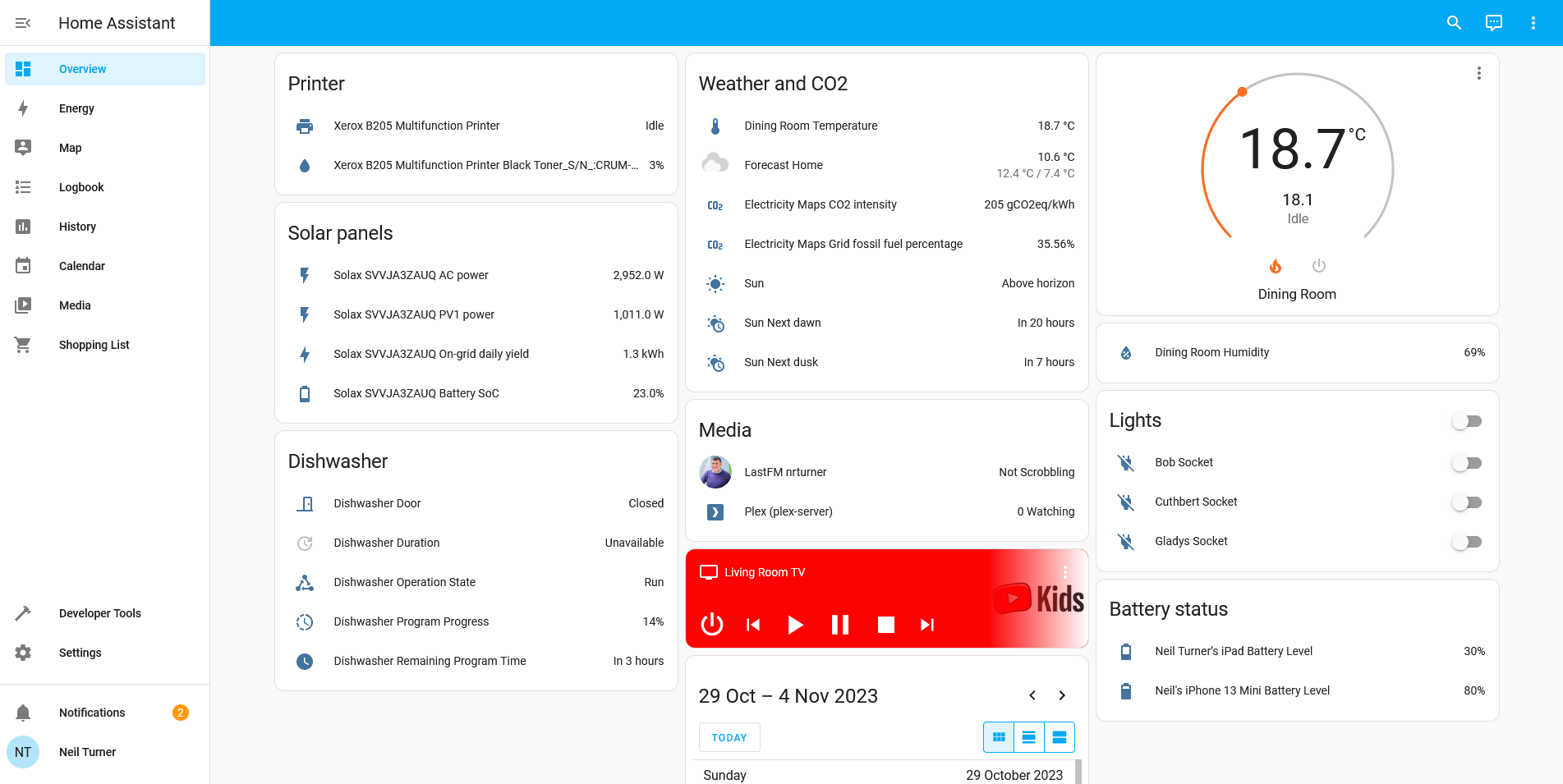
The app that connects to our inverter (the appliance which converts the DC output from the solar panels into AC electricity, and interfaces with the battery) not only estimates how much money you’re saving, but also how much less CO2 your energy use is releasing into the atmosphere.
Whilst I’m unsure of what assumptions it is making, it reckons that we’ve reduced our carbon footprint by over 3.5 tonnes in 9 months.
Although the completion of several massive offshore wind farms now means that the UK typically generates more than half of its electricity from renewables, we still burn a lot of gas to generate electricity. The more people who adopt solar, the sooner those gas-fired power stations can close.
Energy security
I’ve mentioned our battery system offering some resilience in case of power cuts, but making greater use of solar panels, wind turbines and hydro-electric schemes also helps the country retain energy independence. This is something that the war in Ukraine has put into sharp focus, and revealed just how many European countries were reliant on importing oil and gas from Russia. Having lots of micro-generation of electricity spread right across the country reduces the risk of power cuts caused by gas pipelines and interconnector cables being cut, or power stations going offline.
Conclusion
If you have solar panels, or some other means of generating your own electricity, then I hope that the above is helpful to you. And even if you don’t, some of the advice I’ve suggested may help you save money. Energy prices have come down from their highs during the winter of 2022–23, but they’re still much higher than they used to be only 3–4 years ago, and are not showing signs of falling back to those levels any time soon. So, if you have invested in solar, or are considering it, hopefully these suggestions will help you make the most of your energy saving, carbon reducing panels.
This post originally appeared on Medium.